New to Literia? This page takes you from a new account to your first cited answer from a paper. Each step links to a detailed guide if you want more.
1. Create your account
- Go to the sign-up page and choose Continue with Google, or fill in Name, Email and Password and select Create account.
- If you already have an account, use Sign in instead. You can also choose Email me a sign-in link to sign in without a password.
 The sign-up page
2. Tell us about your research (optional)
Right after sign-up you see Tell us about your research. Every field is optional.
- Fill in whatever you like under Who you are, Where you work and Research interests. Your research interests are the keywords behind your recommendations.
- Select Save & continue, or Skip for now to go straight to the app.
You can change any of this later in your profile.
3. Find a paper
- Open Search from the sidebar.
- Describe the papers you want in plain language, for example the problem you are working on, and press Search.
- Each result shows how relevant it is to your request. Select Preview paper on a result to read its abstract before you decide.
More detail: Find papers.
4. Save it to your library
- On the result you want, select Save to library. You will see "Paper added to your library".
- You can also add a paper from anywhere on the web: select New, then Add paper, in your library and paste an arXiv link or a PDF link.
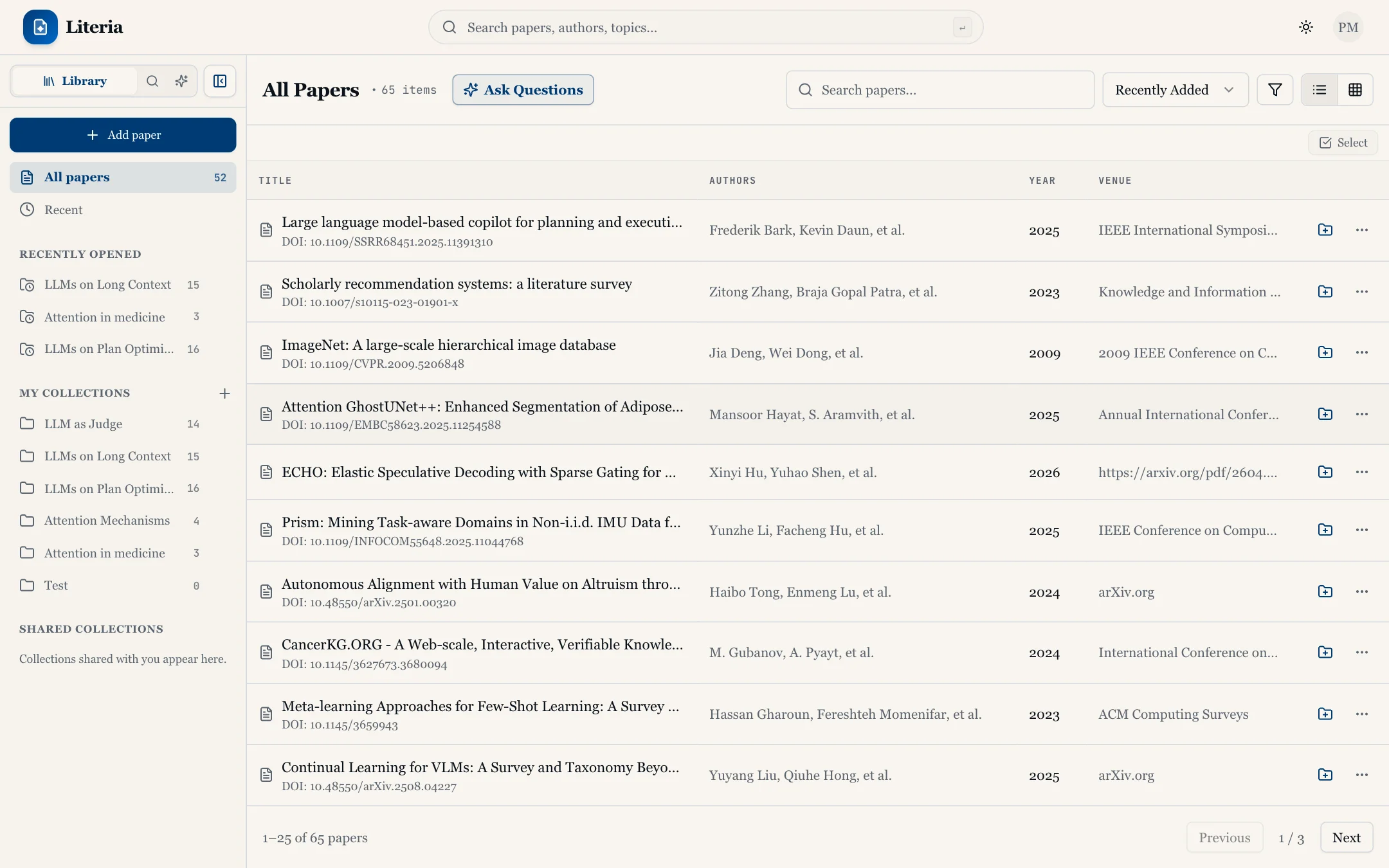 Your library
More detail: Add papers to your library.
5. Open the paper and ask a question
- Open Library from the sidebar and click the paper to open it in the reader.
- Open the Q&A tab in the reader tools panel.
- Type a question in Ask anything about this paper or highlight text... and send it.
- The answer cites the passages it is based on. Click a citation to jump to that passage and check it yourself.
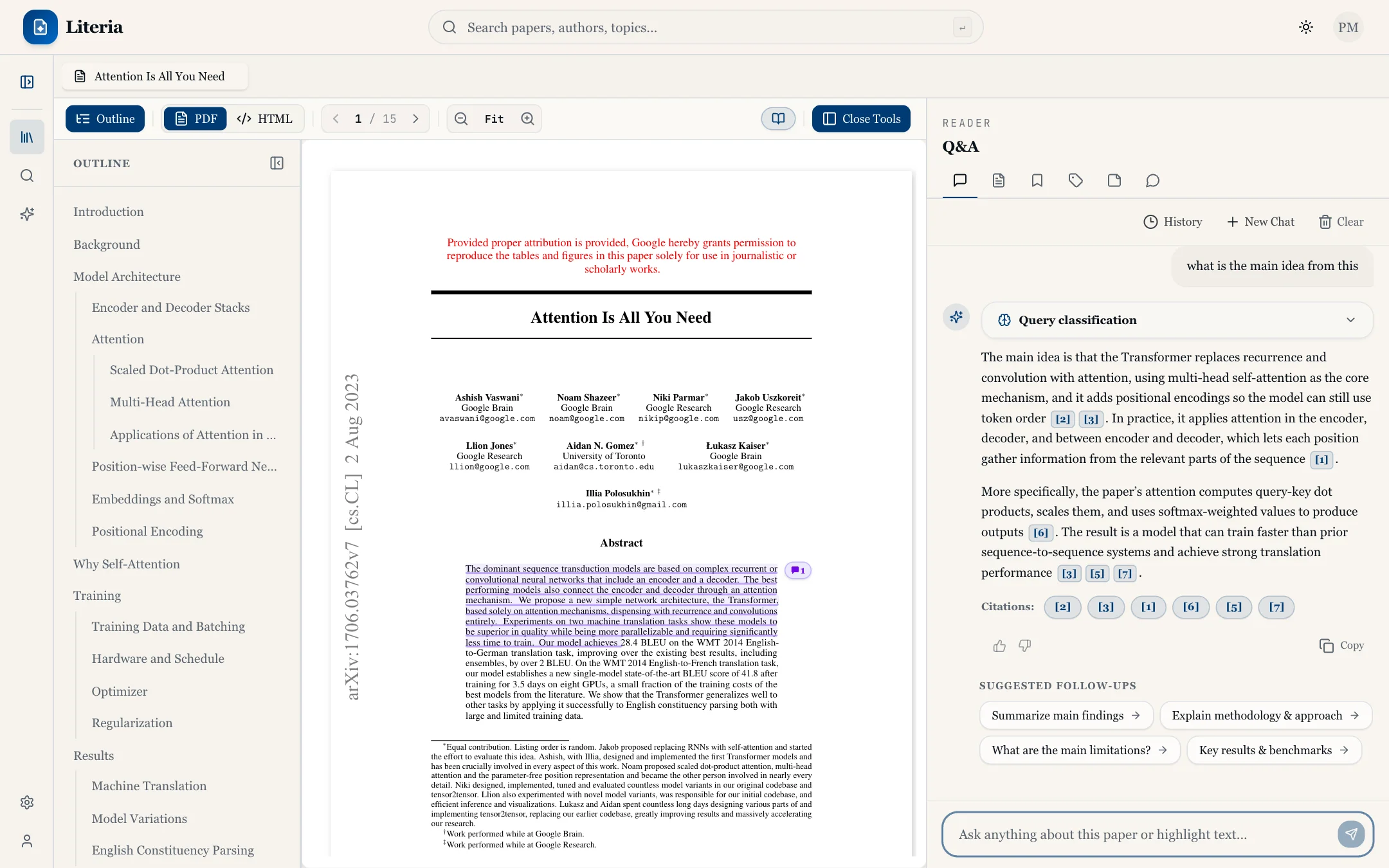 Asking a question about a paper
More detail: Read a paper with AI and Ask questions about a paper.
Next steps
- Group related papers and generate a report across them: Compare papers with collections.
- Save papers while you browse other sites with the browser extension.
If something goes wrong
- "Sign in to save papers" / "Sign in to start QA" appears. You can search without an account, but saving papers, collections and Q&A need you to be signed in.
- "Processing document index in background…" shows in the Q&A tab. A newly added paper is still being indexed. The question box stays available while it runs.
- Still stuck? Check the FAQ or contact us.